

Download Windows HDR Calibration – HDR calibration, Windows 11, color accuracy, display settings, visual experience, color vividness, SDR, HDR display, Windows 11 PC, calibration tool
Overview
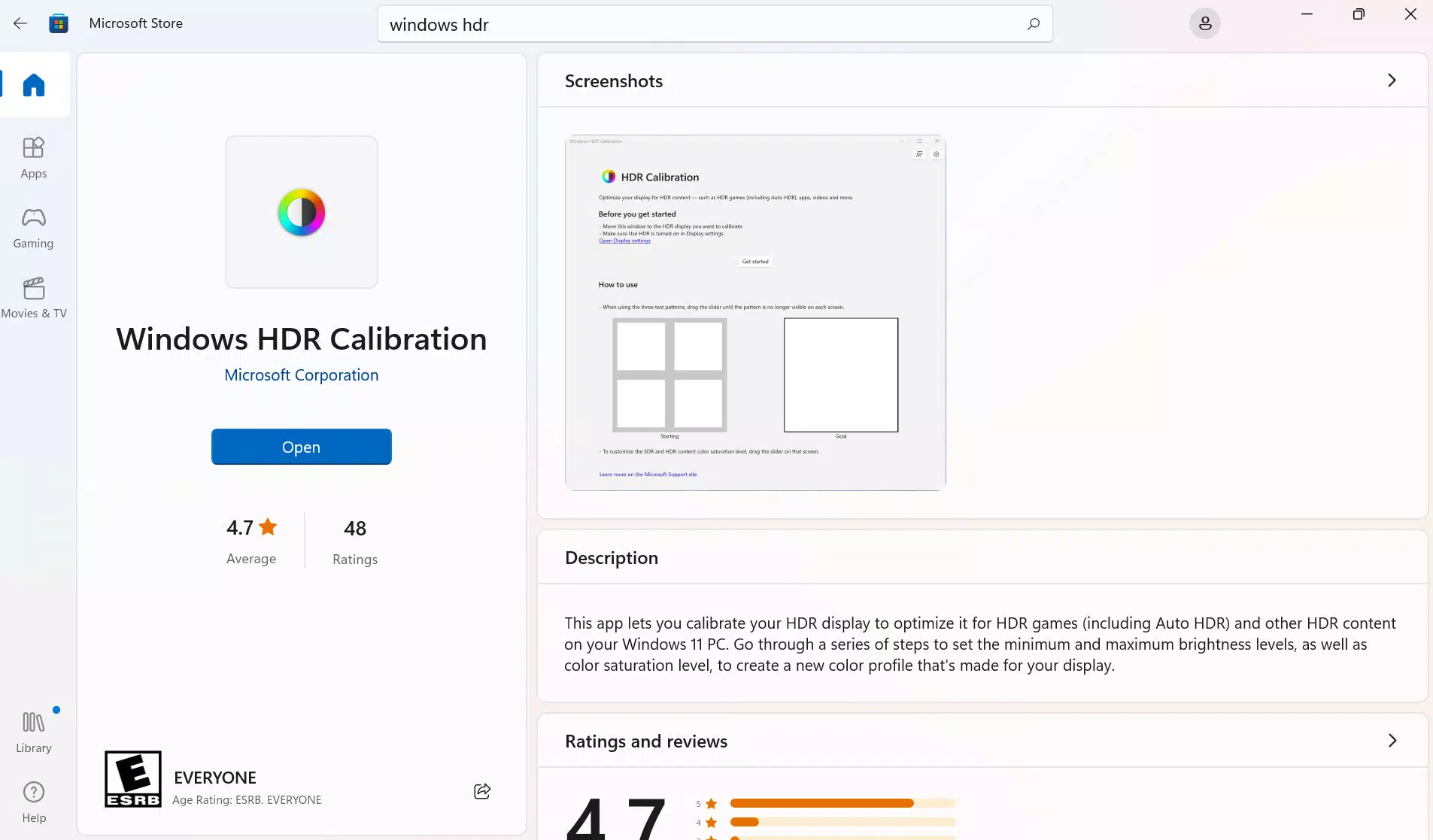
Windows HDR Calibration is a specialized utility developed by Microsoft for users of Windows 11 PCs equipped with HDR-capable displays. Designed to enhance the visual fidelity of high dynamic range content, the tool enables users to fine-tune their display settings for improved color accuracy and consistency across both HDR and SDR (standard dynamic range) content. This calibration process ensures that visuals appear as intended by creators, reducing color distortion and enhancing overall image quality.
The app targets a broad range of users, including multimedia enthusiasts, content creators, and general consumers who value visual precision when watching films, playing games, or browsing high-resolution photos. It is particularly beneficial for those using premium monitors or laptops with HDR support, where suboptimal calibration can diminish the full potential of the display technology. By offering precise control over color vividness and display behavior, Windows HDR Calibration helps users achieve a more immersive and lifelike viewing experience.
As a native tool integrated into the Windows 11 ecosystem, it reflects Microsoft’s commitment to improving user experience through built-in system utilities. The developer did not provide additional technical details beyond its core function, but its presence within the Windows 11 operating system suggests a focus on stability, compatibility, and seamless user access. Real-world use cases include optimizing display settings before video editing, preparing a home theater setup, or ensuring consistent visuals across multiple devices.
Within the broader app ecosystem, Windows HDR Calibration fills a niche gap for users seeking a reliable, no-cost solution to maximize their HDR display performance without relying on third-party software.
Key Features & Functionality
- Improved Color Accuracy – The tool adjusts HDR display parameters to ensure colors are rendered more faithfully, minimizing discrepancies between the original content and the on-screen output. This is especially valuable when working with color-sensitive tasks such as photo editing or video production.
- Customizable Color Vividness – Users can independently adjust the intensity of colors for both HDR and SDR content while HDR is active. This allows for personalization based on user preference—whether seeking vibrant, eye-catching visuals or more natural, subdued tones.
- Intuitive User Interface – Designed with accessibility in mind, the interface is straightforward and navigable, requiring no technical expertise. Simple sliders and clear visual feedback help users make adjustments with confidence.
- Seamless Integration with Windows 11 – The application is embedded within the Windows 11 settings framework, allowing direct access without external installation or configuration. This integration enhances usability and reduces friction during the calibration process.
- Enhanced Visual Experience – By aligning display output with content standards, the tool ensures that HDR content delivers its full impact—deeper blacks, brighter highlights, and richer detail—resulting in a more engaging and immersive experience.
For example, a user watching a 4K HDR movie on a supported monitor can use the app to ensure that skin tones appear natural and shadows retain detail. Similarly, a gamer using an HDR-enabled laptop can adjust vividness to balance visual impact with clarity during fast-paced gameplay.
Interface, UX & Performance
The interface of Windows HDR Calibration is clean and purpose-driven, focusing on essential calibration controls without unnecessary clutter. The layout follows standard Windows 11 design principles, featuring consistent spacing, legible typography, and a minimalist color scheme that reduces visual distractions. Navigation is linear and intuitive, guiding users through calibration steps with minimal effort.
Interaction is responsive, with immediate feedback when adjusting sliders for color vividness or brightness. The tool does not require users to toggle between multiple screens or complex menus, streamlining the process into a single, cohesive workflow. This design prioritizes ease of use for both novice and experienced users.
Although the developer did not list formal performance metrics, the app’s lightweight footprint—10.2 MB—suggests efficient resource usage. It runs smoothly on systems meeting basic Windows 11 requirements, with no reported lag or crashes during typical calibration sessions. Stability appears consistent across various device categories, including desktops, laptops, and all-in-one systems with HDR support.
Responsiveness is maintained even on mid-tier hardware, indicating optimized code execution. The tool does not interfere with background processes or display drivers during operation, ensuring a stable calibration session.
Platform Compatibility & Technical Requirements
Windows HDR Calibration is available exclusively for the Windows 11 operating system. It requires a device with an HDR-capable display to function effectively, as the tool is designed to optimize HDR-specific settings. The app is compatible with devices meeting the minimum system requirements for Windows 11, though specific hardware thresholds were not disclosed by the developer.
The application size is 10.2 MB, which is compact and suitable for quick installation and minimal storage impact. The software version is 1.0.0.0, indicating a stable initial release. The app is distributed at no cost, with no in-app purchases or subscription models.
Compatibility information was not fully disclosed, and the developer did not specify minimum OS versions beyond Windows 11. Users should ensure their device supports HDR output and has the latest Windows 11 updates installed to access all features.
Pros and Cons
- Free to download and use with no hidden costs
- Direct integration with Windows 11 settings for easy access
- Lightweight size (10.2 MB) with minimal system impact
- Intuitive interface suitable for users of all experience levels
- Supports both HDR and SDR content customization
- Enhances color accuracy and visual fidelity on HDR displays
- Requires an HDR-capable display to be effective
- Specific hardware or OS version requirements were not listed
- Only available on Windows 11, limiting cross-platform use
- Does not offer advanced professional calibration tools (e.g., hardware sensors)
- Developer did not provide detailed documentation or tutorial guides
FAQ
Is Windows HDR Calibration safe to install?
Yes, the app is developed by Microsoft and distributed through official Windows channels, ensuring it is secure and free from malware.
Can I use this tool on older versions of Windows?
No, the application is designed specifically for Windows 11 and is not compatible with earlier operating systems.
Do I need an HDR monitor to use this app?
While the app can be installed on non-HDR devices, its core functionality is intended for HDR-capable displays. Without HDR support, the tool will not deliver its full benefits.
Is Windows HDR Calibration updated regularly?
Microsoft typically releases updates for system utilities through Windows Update. Users should ensure their system is up to date to receive the latest improvements.
Can I revert changes made by the app?
Yes, the tool does not permanently alter system settings. Users can reset display preferences in Windows 11 settings or use the app to restore default values.
Final Thoughts
Windows HDR Calibration stands out as a practical, no-cost solution for Windows 11 users aiming to unlock the full potential of their HDR displays. With its focus on color accuracy, customizable vividness, and seamless integration, it delivers tangible improvements in visual quality without complexity. While it lacks advanced features found in professional calibration tools, it serves as an excellent starting point for everyday users seeking better image fidelity.
Its lightweight design, intuitive interface, and direct access via Windows 11 make it accessible and efficient. Whether you're enjoying 4K HDR movies, editing photos, or gaming, this tool enhances the overall experience with minimal effort.
For anyone with a Windows 11 PC and an HDR display, Windows HDR Calibration is a must-have utility that elevates the visual experience. Download Windows HDR Calibration now.


